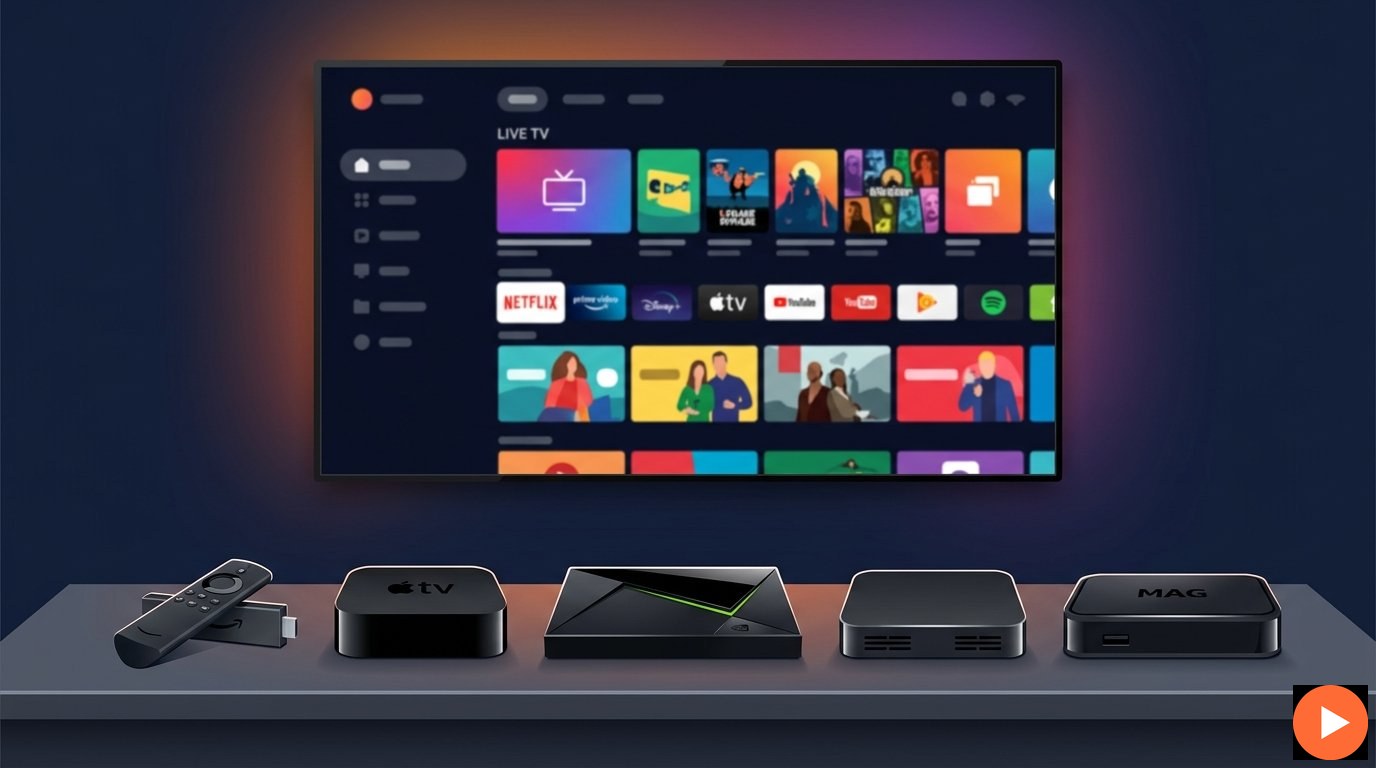
Looking for the perfect IPTV box to stream live channels and movies in true 4K? This complete guide compares the top streaming boxes — Firestick, Nvidia Shield, Apple TV, Android TV box and MAG box. Whichever device you choose, IPTVZebraline subscription works flawlessly on all of them, delivering 40,000+ channels in true 4K from just $14.99/month.
Top IPTV boxes — all compatible with IPTVZebraline subscription
An IPTV box is a streaming device that connects to your television and runs IPTV player applications, allowing you to watch live channels and on-demand content through the internet. Unlike traditional cable or satellite, an IPTV box receives content via your home broadband connection, giving you access to thousands of channels worldwide on a single small device that fits in the palm of your hand.
The most popular streaming boxes today include the Amazon Firestick, Nvidia Shield, Apple TV, Android TV boxes and dedicated MAG boxes. Each device has its strengths — some prioritise affordability, others focus on raw performance, and some are built specifically for IPTV streaming. According to Wikipedia, set top boxes have become the standard hardware for accessing internet-based television.
It’s important to understand that an IPTV box is just the hardware — it cannot stream channels by itself. To watch content, you need an active IPTV subscription. IPTVZebraline works flawlessly on every IPTV box mentioned in this guide.
Have an IPTV box ready? Get IPTVZebraline subscription from $14.99/month and stream 40,000+ channels in true 4K on any device. 7-day money-back guarantee on every plan. Subscribe now and start watching tonight.
Choosing the right IPTV box depends on your budget, technical experience and viewing preferences. Below are the most popular streaming boxes on the market — all fully compatible with IPTVZebraline subscription and capable of true 4K streaming.
The most popular IPTV box worldwide. Affordable, easy to set up and runs IPTV Smarters Pro perfectly. Just plug into any TV’s HDMI port and install your IPTV app via Downloader.
The premium streaming box for iOS ecosystem users. Smoothest interface available. Install Smarters Player Lite from the App Store and enjoy true 4K with Dolby Vision.
The most powerful IPTV box money can buy. Tegra X1+ processor handles 4K streams flawlessly. Runs Android TV with full Google Play access for unlimited app flexibility.
Brands like Chromecast with Google TV, Formuler Z11 and Onn 4K Pro offer maximum flexibility. Install IPTV Smarters Pro or TiviMate from Google Play.
Built specifically for IPTV streaming. Runs streamlined Linux-based OS optimised for live TV. Built-in stalker portal support — perfect for IPTVZebraline portal URL setup.
The simplest streaming stick for casual viewers. Limited IPTV app selection compared to Android, but works perfectly with M3U URLs and select IPTV players.
For most users, the Amazon Firestick 4K Max at $59.99 offers the best balance of price, performance and ease of use. iOS lovers will appreciate Apple TV 4K. Power users demanding the absolute best should invest in Nvidia Shield Pro. Pure IPTV enthusiasts will love MAG boxes for their dedicated streaming experience. All work flawlessly with IPTVZebraline subscription.
Before purchasing any IPTV box, consider these eight key factors. Picking the right device based on your specific needs ensures the best streaming experience with your IPTVZebraline subscription.
Essential for streaming IPTVZebraline’s true 4K channels. Look for HDR10, HDR10+ or Dolby Vision support for the best picture quality.
Aim for at least 2GB RAM and a modern quad-core processor. Slower boxes struggle with 4K streams and large IPTV channel lists.
Verify the box runs IPTV Smarters Pro, TiviMate or similar apps. Android TV and Fire OS support the most IPTV applications.
Ethernet port is essential for stable 4K streaming. WiFi 6 is great but a wired connection always delivers better IPTV performance.
Look for Dolby Atmos and DTS support if you have a home theatre. Premium boxes handle pass-through to soundbars and AV receivers.
8GB minimum for OS and apps. More storage allows multiple IPTV players and additional streaming apps installed simultaneously.
Voice-enabled remotes make navigating IPTV channels easier. Premium boxes include backlit buttons for dark-room viewing comfort.
IPTV boxes range from $30 to $200+. Pick based on your viewing needs — casual viewers don’t need the most expensive options.
Already have an IPTV box? Get IPTVZebraline subscription from $14.99/month and stream 40,000+ channels in true 4K right now. Works perfectly on Firestick, Nvidia Shield, Apple TV, Android boxes and MAG devices. Subscribe risk-free with 7-day guarantee.
Side-by-side comparison of the most popular IPTV boxes. All work with IPTVZebraline — pick the one that suits your budget and viewing style.
| Feature | Firestick 4K Max | Nvidia Shield Pro | Apple TV 4K | MAG 524 |
|---|---|---|---|---|
| Price | $59.99 | $199.99 | $129 | $89 |
| Resolution | 4K HDR10+ | 4K Dolby Vision | 4K Dolby Vision | 4K UHD |
| RAM | 2GB | 3GB | 3GB | 1GB |
| Operating System | Fire OS | Android TV | tvOS | Linux |
| App Store Access | Amazon Store | Google Play | App Store | Limited |
| Ethernet Port | No (USB adapter) | Yes | Yes | Yes |
| IPTV Smarters Pro | Compatible | Compatible | Player Lite | Built-in |
| Setup Difficulty | Easy | Easy | Easy | Medium |
| IPTVZebraline Compatible | Yes | Yes | Yes | Yes |
No matter which IPTV box you choose, the setup process follows the same simple steps. Once you have your IPTVZebraline credentials, you’ll be streaming 40,000+ channels in true 4K within minutes.
Plug your IPTV box into your TV’s HDMI port and connect to power. Use an ethernet cable if available — wired connections deliver more stable 4K streaming than WiFi. Otherwise, connect to your home WiFi network.
Download IPTV Smarters Pro (Android/Fire OS), Smarters Player Lite (iOS), or TiviMate from your box’s app store. MAG boxes have built-in IPTV players — no installation needed.
Get your IPTV subscription from $14.99/month. You’ll receive your credentials by email within 10 minutes — including weekends and holidays. Choose between Xtream Codes or M3U URL.
Open your IPTV player and enter your username, password and server URL (Xtream Codes), or paste your M3U URL. Both formats work perfectly with IPTVZebraline. Your channel list loads automatically in seconds.
Browse 40,000+ channels organised by category — sports, news, movies, kids and more. Add favourites, set up parental controls and start watching in true 4K HDR. Welcome to your new IPTV experience!
Our 24/7 human support team is available every minute of every day to help you set up any IPTV box with IPTVZebraline. Average response time is under 5 minutes. Whether you’re configuring a Firestick, Nvidia Shield, MAG box or any other device — we’ll guide you through it.
Once your IPTV box is ready, choose your IPTVZebraline subscription. Every plan delivers the complete package — 40,000+ channels, 170,000+ movies in true 4K and all sports. Longer commitments reduce your monthly cost.
Whether you have a Firestick, Apple TV, Nvidia Shield, MAG or any streaming box — IPTVZebraline works perfectly. 40,000+ channels in true 4K, all sports included, from $14.99/month with 7-day money-back guarantee.